
Which vouchers can be combined
Not every type of voucher can be combined. The following can currently be combined:Whether two specific vouchers are compatible can additionally be controlled per voucher. Using the special function for combinability, vouchers can be marked as exclusive or linked to each other via allow and block lists. If this check fails, rejection reason 27 appears.
Prerequisite
The voucher generator must be activated. Contact your WEBSALE representative to arrange this.If the vouchers come from an external system and are therefore not in WEBSALE format, add the entry
ExternalVouchers-Allow = yes in the <Voucher-Txt> section of the shop.config.Step 1: Enable the function in test mode
The setup deliberately runs in two stages. First set the switch totest; the function then only takes effect in the shop’s test mode, and nothing changes for real customers.
MultiVoucher-MinOrderBehavior determines how strict the promotion is. Three vouchers with a minimum order value of 50 euros each require a basket over 150 euros with the default setting; with UseMax, 50 euros is enough. This is the lever that determines the economic framework of a multi-voucher promotion.Step 2: Set up the input fields
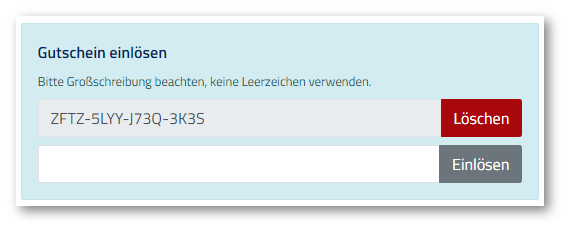
The first voucher remains unchanged; the additional ones go into theVOUCHER-MultiVoucher loop.
Inside the loop, the voucher-related tags refer to the voucher of the respective iteration. This applies to all
VOUCHER- tags that read voucher data, for example VOUCHER-DataExists, VOUCHER-Number and VOUCHER-ChargeID, and additionally to BASKET-VoucherRest, BASKET-VoucherDeleteLink, BASKET-VoucherNotApplicable, BASKET-PR-VoucherApplies and ST-Voucher_OK.Step 3: Add the two new error messages
With multiple vouchers, two rejection reasons are added that could not occur before. Add both wherever you have integrated the voucher entry.Step 4: Test in test mode
Open the shop in test mode and redeem various combinable vouchers.Check not only that multiple codes are accepted, but also the totals. The interaction between percentage and fixed-amount vouchers and the rounding in particular can only be assessed using real figures.
Step 5: Go live
Set the switch toyes and remove any wrappers you added to the templates for testing.
Showing percentage and fixed-amount vouchers separately
Percentage vouchers are already included in the subtotal, whereas fixed-amount vouchers are only deducted from it afterwards. The customer cannot tell this if both appear on one line. Both types can therefore be output separately, and the sections only appear if the respective type actually exists.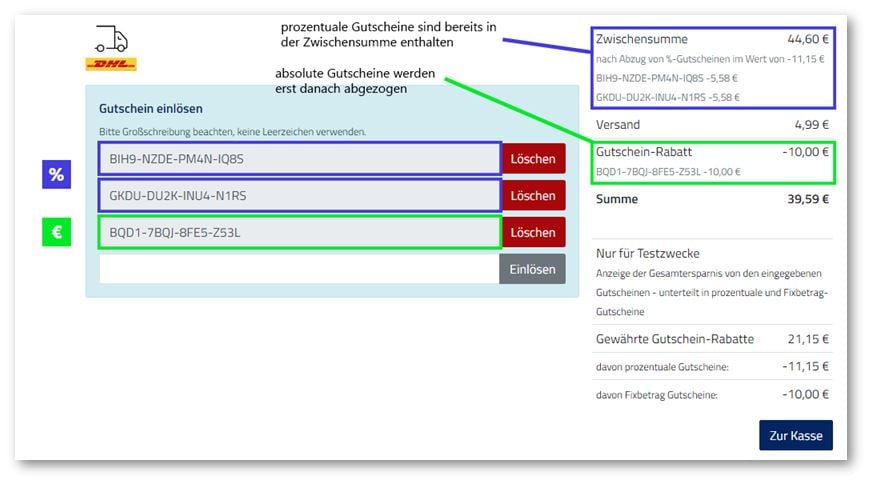
Percentage vouchers at the subtotal
The pattern repeats twice, once for the first voucher and once in the loop.
VOUCHER-AmountType_isPercent ensures that only percentage vouchers appear in this block.Fixed-amount vouchers below
Showing the total savings (optional)
Related topics
- Guide: Offering vouchers: Overview
- Guide: Providing voucher entry
- Guide: Percentage vouchers
- Guide: Enabling/disabling the shop’s test modes