
Overview of the three building blocks
Buyer protection requires the trust seal, and reviews build on the Trustbadge. So work through the sections in this order.
Detailed information is available from Trusted Shops at business.trustedshops.com/knowledge/integration and in the help area at help.etrusted.com.
Integrating the Trustbadge
Step 1: Obtain the Trustbadge code
After certification, you receive your Trusted Shops ID from Trusted Shops. From it, Trusted Shops generates the script block with your individual Trustbadge code.Step 2: Integrate the Trustbadge code
Insert the script block on the desired shop templates immediately before the closingbody tag.
Also integrate the block on the order confirmation page
ws_confirm.htm. Without it there, there is no buyer protection, because that is exactly where the Trustcard opens.Integrating buyer protection
After the order is completed, the Trustbadge opens a small window, the Trustcard. In it, the buyer is offered buyer protection. For this to work, the Trustbadge must be able to read the order data from the page.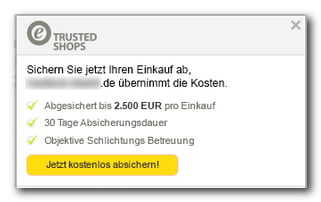
Prerequisite
Buyer protection must be activated for your shop by WEBSALE AG. Contact your WEBSALE representative.Passing the order data
On the order confirmation pagews_confirm.htm, insert the WS-TrustBadge tag.
The container lists every basket item, including set sub-products. For a set sub-product, the shop inserts the link of the set parent product so that the customer does not land on a page in the review request that does not exist individually.
Trusted Shops supports further optional fields, for example for delivery date, product image, GTIN, MPN and brand. The shop does not pass these. If you need them, for example for Google product reviews, you must add them to the container in the template yourself.
Integrating buyer protection Excellence
In addition to the standard model, which is free for the buyer, there is the fee-based buyer protection Excellence. The customer selects it on the payment and shipping methods page from a list of products graded by insured amount. The costs appear in the basket like shipping costs and are included in the order data.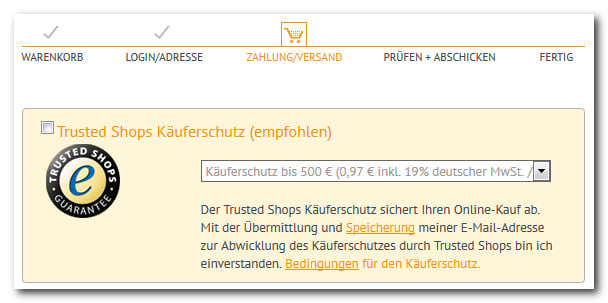
Prerequisite
Buyer protection Excellence must be activated by WEBSALE AG. In the process, the Trusted Shops access credentials that the shop needs for the status query are also stored.Step 1: Configure the buyer protection products
In theshop.config, create the TrustedShopsAdvList section. You receive the product IDs for TSID-Txt from Trusted Shops.
Reference: TrustedShopsAdvList section
Step 2: Offer the selection on the payment and shipping methods page
Add a checkbox, selection list and explanation tows_pay_deliv.htm.
The checkbox is only preselected if the customer had already chosen buyer protection in this order. When the page is first called up, it is empty. A word like “recommended” next to the checkbox does not change this; it is just text.
The selection list remains completely empty if buyer protection is not activated or not a single entry has been configured. In that case, no empty selection field appears, but nothing at all.
Step 3: Store the error message
If Trusted Shops cannot be reached, the shop deactivates buyer protection and displays this message.Displaying reviews
Reviews do not need to be activated by WEBSALE AG. However, you do need buyer protection with the Trustbadge, because the review request is linked to the purchase.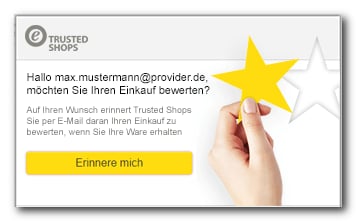
Shop reviews
The Trustbadge displays shop reviews by itself as soon as you have selected thereviews or custom_reviews variant in the configuration. Nothing else needs to be done in the shop.
Product reviews
For products to be reviewed individually, the product numbers of all ordered products must be sent to Trusted Shops.WS-TrustBadge takes care of this on the order confirmation page. Trusted Shops then sends the customer an email asking for a review; the review itself takes place on the Trusted Shops website.
To display the reviews in the shop, integrate a widget from Trusted Shops. The following block shows where the WEBSALE tags need to be inserted.
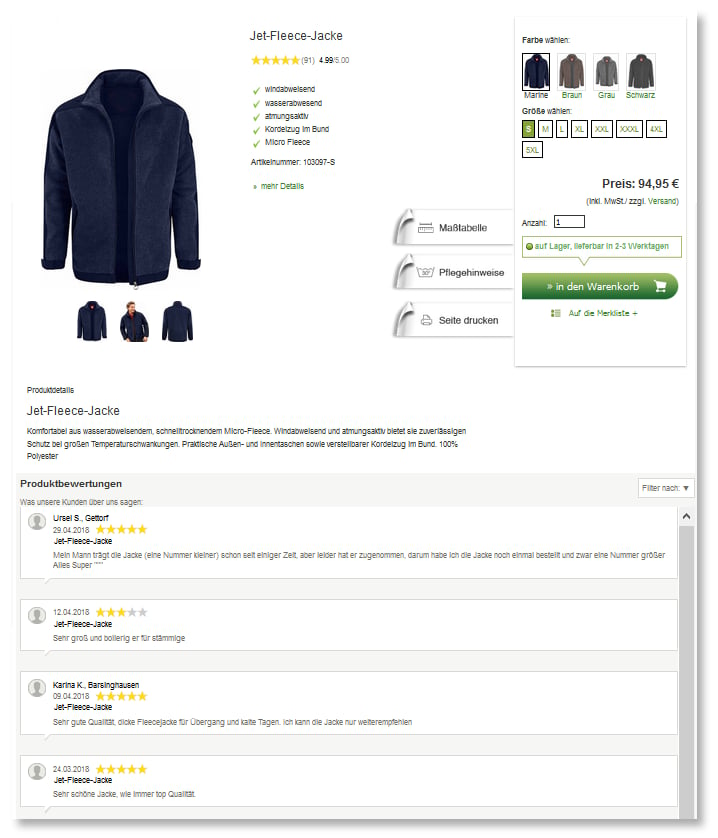
A product without variants passes its product index as a single value. A variant product passes an array of the base product’s index and the numbers of all variants, so that Trusted Shops assigns the variants’ reviews to the base product.
Displaying review stars separately
If you only want to show the stars in a specific place, for example next to the product name, use the summary widget.
Product reviews on Google
Trusted Shops automatically transfers product reviews to Google via JavaScript. Nothing else needs to be done on your side once the product reviews are integrated.Shop reviews as microdata
Your shop’s reviews can also be passed to search engines as microdata and appear there as rich snippets. Guide: Microdata for search engines and rich snippetsRelated topics
- Guide: Microdata for search engines and rich snippets
- Guide: Order confirmation