
Passing the referer on the deep link
Append the values to the URL as call parameters. A referer comes into existence simply by assigning it. You do not have to create it anywhere beforehand.The hexadecimal variants only apply if the respective plain text parameter is missing. They are useful when a value contains characters that are difficult to transport in a URL.
A referer or subreferer can be overwritten at any time by calling again with
ref or subref, even in the middle of an ongoing session. The value passed last wins.The shop removes line breaks and quotation marks from both values before writing them to a cookie. The values come directly from the URL, and without this cleanup, they could be used to inject foreign cookie attributes.
If the call comes from an app and no referer has been set yet, the shop automatically enters the referer
WS-APP. So this value appears in your statistics even if you have never assigned it.Keeping the referer in a cookie
By default, a referer only applies to the current session. Optionally, the shop stores it in a cookie and reads it again on a subsequent visit. This means that even a purchase days later is still attributed to the original source. Activate the function in the shop configurationshop.config in the Basic section.
The shop creates two cookies:
Both cookies are only written if the respective value is filled, and they get the same validity period. A visitor with a referer but without a subreferer therefore only receives the first cookie.
The referer
WSTopRank is always stored in the cookie, even if SetRefererCookie is not set to yes.Consent
The referer cookie is stored in the shop as a service requiring consent. If you use consent management in production, the WEBSALE serviceRefererCookie must be assigned to a consent entry that has been agreed to.
Please coordinate the use of these cookies with your data protection officer. A cookie that assigns an advertising source to a visitor over weeks serves to measure success, not to operate the shop.
Deriving the referer automatically
Not every visitor comes via a link you built yourself. Someone coming from a search engine does not bring aref parameter, only their browser’s HTTP referer. With derivation rules, you turn this into your own meaningful referer so that this traffic does not remain anonymous in your statistics.
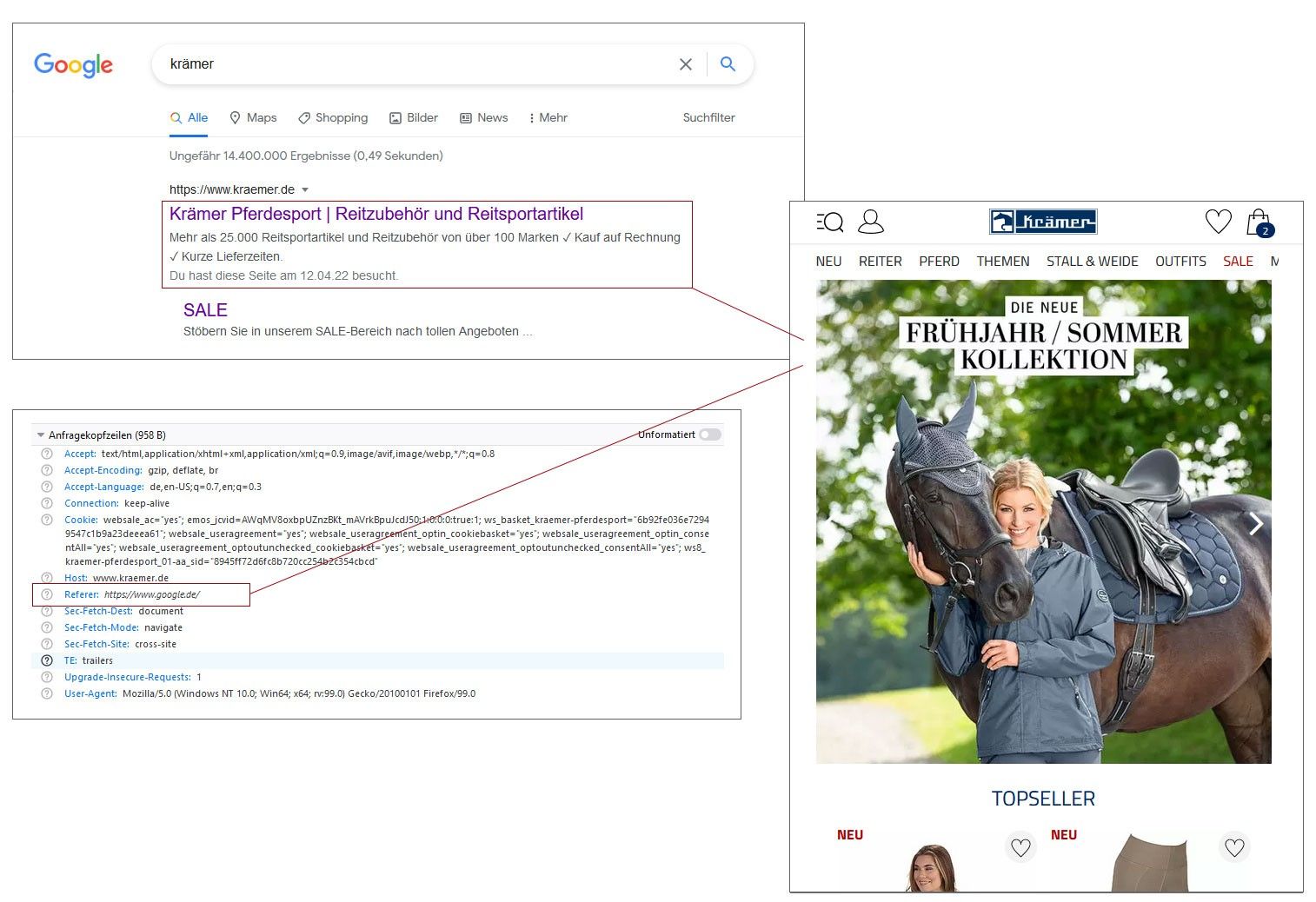
Derivation only runs after call parameters and cookies have been evaluated, and only if there is still no referer set after that. A referer you have assigned is therefore never overwritten by a rule.
Configuring the rules
The rules are located in theshop.config in the RefererDerivation section. A rule checks a condition and, if it matches, sets a referer. Optionally, it refers to a rule set that also determines the subreferer.
The possible values
ForSource and Type, there are exactly two values each, in both +RefererRule and +SubRefererRule.
A subreferer rule may also use
HTTPReferer as its source. You are not limited to the path just because the example shows it.DefaultSubReferer is the reason a rule set is useful even if none of its rules apply. Without this value, the subreferer would remain empty, and all derived traffic would appear in the statistics under a single referer without further breakdown.Related topics
- Guide: Calling up a shop or subshop
- Guide: Internal deep links
- Materials: Cookies used