
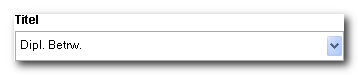
title.dat configuration defines the titles the buyer can choose from when entering their billing address and an alternative delivery address. It also determines how the selected title later appears in the salutation line.
You define the form of the salutation itself in the
salutation.dat configuration. That is also where you determine whether the title appears in the salutation line at all.Where the file is located
The shop looks for the file in two locations, in this order:Structure
The file is tab-separated. The first row contains the column names, and from the second row on, each title has its own row.Columns are identified by their names in the header row, not by their position. This means the column order is up to you, but the spelling of the names is not. The shop does not evaluate more than ten columns.The module for forms and inquiries aborts with a warning if one of the five columns is missing from the header row.
Title and Text are not the same
This is the point where this file is most often misunderstood.
Title is the written form for the selection list and for the address data. Text is the spoken form for the salutation line. The $W-Title placeholder in salutation.dat is replaced by the content of the Text column, not by Title.
This lets you cleanly separate long academic titles:
The first entry
The second row of the file, that is, the first data entry, is intended for buyers who have no title or do not want to provide one. ItsTitle column stays empty so that the selection list starts with an empty entry.
For this empty entry, the shop prefixes the title code in the form value with
empty_, for example empty_00. It removes the prefix again during evaluation.The title code
The title code must remain the same across all country codes. If “Rechtsanwalt” uses code$1 in the German shop, then “Advocate” must use the same code $1 in the English shop.
The reason lies in further processing: the code is stored, not the text. Only if the code has the same meaning across all languages can first name and title be validated correctly later and a matching salutation be generated.
The code is free text. The dollar sign is a convention, not a requirement, and the shop compares the code case-insensitively.
Example
Atitle.dat for German and English, showing the German block here. The first data row is the entry without a title.
The salutation line
You define how the title ends up in the salutation line insalutation.dat via the CompleteSalutation column. This file contributes two things:
The Text column provides the content for the $W-Title placeholder.
The LastNameInSalutation column decides whether the $W-LastName placeholder is filled with the last name or left empty. This applies even if salutation.dat includes the placeholder. A title can therefore suppress the last name in the salutation.
After inserting the placeholders, the shop collapses double spaces and removes a trailing space. A suppressed title or last name therefore does not leave a gap in the salutation line.
You set the language your shop uses in the
Basic section of the shop.config.