
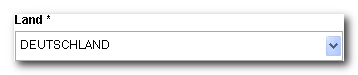
country.dat configuration determines which countries the buyer can select for their billing address when ordering. Anything not listed here can’t be selected or submitted.
If a different country list should apply to the alternative delivery address, define it in the additional file country_deliv.dat. This is the usual approach for shops that invoice worldwide but only ship to certain countries.
Where the files are located
Both files are located in the configuration directory of the subshop, separated by language:Structure
Both files have the same structure, in TSV format with tab-separated columns. The first line contains the column names, and the data follows from the second line on.
Excerpt from a
country.dat or country_deliv.dat. The tab character is shown here as (TAB):
How the shop reads the file
Three rules determine what from your file actually reaches the shop. None of them was described before. The header line is skipped, and its content isn’t evaluated. The shop skips the first line regardless of what it contains. The column assignment is based on position, not on the name in the header line. The first column is always the name, the second always the ISO code. The ISO code is strictly truncated to three characters. If the second column contains something longer, the shop silently cuts it off. This isn’t a bug but intentional, because in practice there are often spaces at the end of the code. The order of the lines is the order in the selection field. The shop doesn’t sort. If you want the most important countries at the top, sort the file accordingly. That’s why Germany, Austria, and Switzerland come before the alphabetical list in the excerpt above.The excerpt above contains Austria twice, once as
ÖSTERREICH and once as AUSTRIA, both with the ISO code AUT. Both entries then also appear in the selection field.For translating an ISO code back into a country name, for example in confirmation emails or on the invoice, the first matching entry in the file wins. If you want to avoid duplicate ISO codes, delete the unwanted entry in each case.What else the lists affect
The country lists aren’t just the source for two selection fields. They have further effects in several places, which explains some effects that would otherwise be surprising. Input validation. The shop checks the submitted country against the list. A country that isn’t on it is rejected, even if it comes in via a manipulated form value. For the delivery address, the shop checks against thecountry_deliv.dat if it exists.
Country names in output. The ISO code is what gets stored. Wherever the country name appears instead, the shop resolves it via the list. If the code is missing from the list, the output remains empty.
Base set for delivery and payment rules. If you define a country rule for a shipping method or payment method in the shop.config, the shop builds the complementary list, meaning “all other countries”, from the country_deliv.dat. A country missing there therefore doesn’t appear in the automatically generated complementary list either. This is not documented and is added here.
Reference: shop.config, payment methods · Reference: shop.config, shipping and delivery
For converting between the three-letter ISO code, the two-letter code, and the numeric country code, the shop uses a built-in table, not the
country.dat. A made-up three-letter code therefore can’t be converted. Use only real codes according to ISO 3166.Changes to the country list
A country you remove from the file disappears from all selection fields. Conversely, a newly added country appears everywhere, including places where you may not want to deliver at all. If you want to maintain billing and delivery countries differently, thecountry_deliv.dat is the right place for that, not a restriction in the country.dat.
The shop reads both files once per request. Changes therefore take effect with the next page request, and no restart is necessary.