
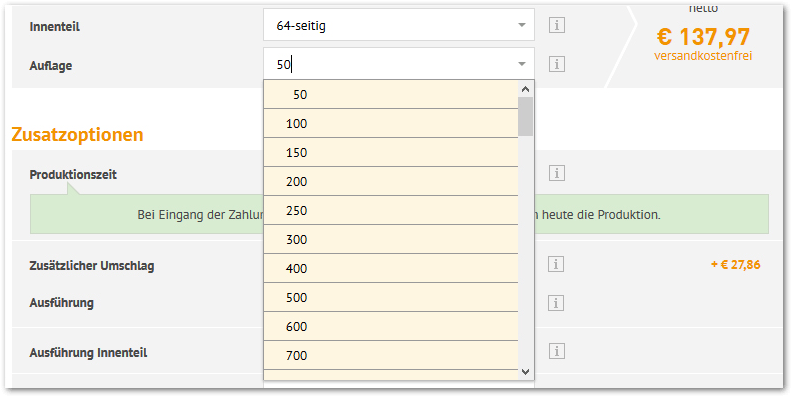
PR-DepVariationList1 through PR-DepVariationList200 and PR-DepVariationName1 through PR-DepVariationName200. This display has no quantity limit and is therefore also suitable for products with many variants.
All tags must be placed inside a <form> element. The reason lies in the workflow: when the customer selects a value, that value is submitted so that WEBSALE V8s can determine the next dependent variant from it. Without a surrounding form, the selection would never reach the shop.
There are two ways to build the lists themselves.
Use the ready-made select list
The shortest route. For each variant, you output the name and the ready-made select list, wrapped in the bracket of the same name. This ensures that only the variants actually available for this product appear.Build the select list yourself
If the ready-made list is not enough, you build theselect element yourself and fill it with PR-DepVariationOption1 through PR-DepVariationOption200. This gives you full control over markup and CSS.
@PR-DepVariationOption1 iterates over all values of this variant. The bracket PR-DepVariationOptionSelected1 sets the selected attribute exactly on the value the customer previously chose so that the list does not jump back after submission. The field name comes from PR-DepVariationOptionInput1, which the shop uses to assign the submitted value to the correct variant.
The onchange triggers the submission as soon as the customer selects something. This way, the customer does not need to press an additional button.
Display product data in the select list
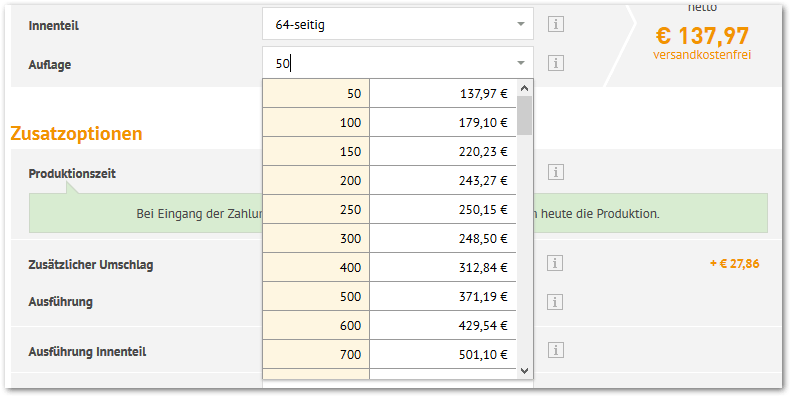
PR-LoadDepVariationOptionProduct loads the product data for the respective entry, as if the customer had already chosen this option. Within the bracket, any product data fields are then available to you.
References
- Reference: PR-DepVariationList1…200
- Reference: PR-DepVariationName1…200
- Reference: PR-DepVariationOption1…200
- Reference: PR-LoadDepVariationOptionProduct
- Reference: BT-DepVariation_OK
- Reference: ST-DepVar_OK
- Reference: PR-DepVarQuantity
Related topics
- Guide: Display variants
- Guide: Reload dependent variants via AJAX
- Guide: Display dependent variants as links
- Guide: Display dependent variants as a table