
Prerequisites
Creation date in the product data
Specify in the product data when the product was added to the assortment. Products without a creation date never count as new. They are therefore also missing from the overview of new products, without a message appearing.Defining how long “new” lasts
TheNewProductDays parameter in the <Basic> section of the shop.config determines how many days after the creation date a product counts as new.
10 and the creation date 01.09.2026, the product counts as new up to and including 10.09.2026, and no longer from 11.09.2026.
Reference: Basic section
Marking new products
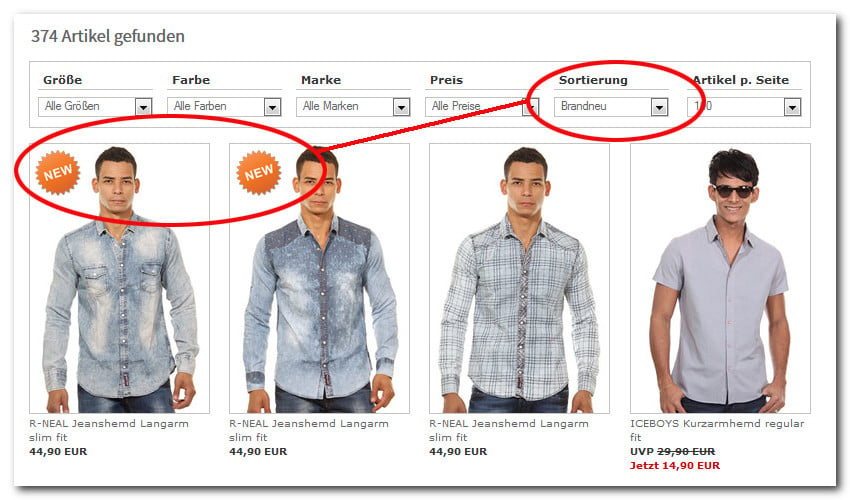
ThePR-IsNew bracket encloses the marking, either a text, an icon, or your own formatting. It works wherever product data is available, that is, on the product detail view as well as in product lists.
Outputting the creation date
In addition,PR-CreationDate outputs the creation date in the format DD.MM.YYYY. As a bracket, it applies as soon as a creation date is stored.
Overview of all new products
Via the pseudo category index$NewProd, you output all new products as a list anywhere in the shop. The home page ws_start.htm is an obvious choice.
In the following example, up to 15 new products appear.