
<ul> unordered lists with one <li> entry per navigation item, that is, per category.
The advantage over individual positioning lies in the effort. You specify a single tag; the shop generates the complete HTML at runtime. So you do not have to set up the navigation items individually, and new categories appear without any change to the template.
Styling also remains in your hands. The shop automatically assigns each navigation item style classes for the different display states, that is, opened, closed, and selected. You define these classes in your styles file.
Two tags are available for the structure:
You may use both tags multiple times at different positions in a template, each with its own parameter values.
Include the product menu in all shop templates that are to provide access to the product catalog. A template without this tag shows no catalog navigation.
Product main menu up to a specific menu level
You generate the main menu withWS-ProductMenu(). The following example shows a menu placed on the left in a sidebar that displays only the topmost level directly.
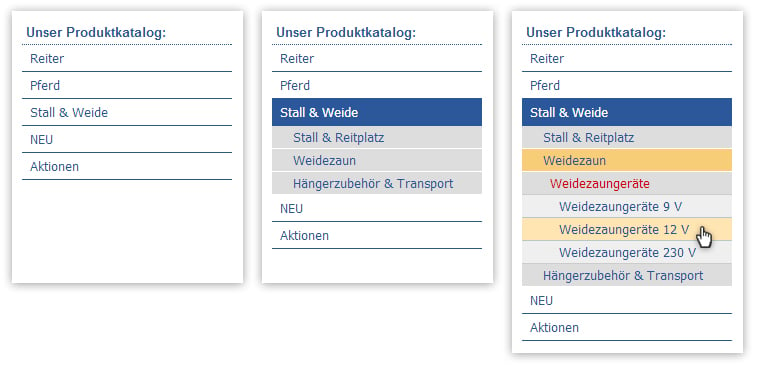
The shop generates the following code schematically from this:
<li> is automatically given a style class. It is composed of the name of the current level and a running variable, in the example level1_li_1 to level1_li_5. You add these classes to your styles file and design them to your liking.
If two levels are to be directly visible, that is, the main categories and their direct subcategories, set the third parameter to 2:
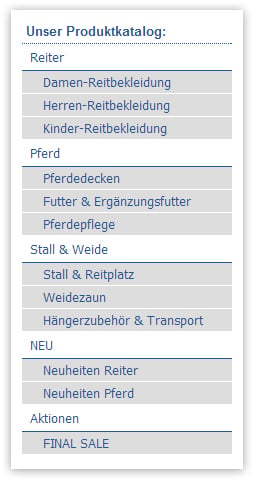
Submenu based on an index value
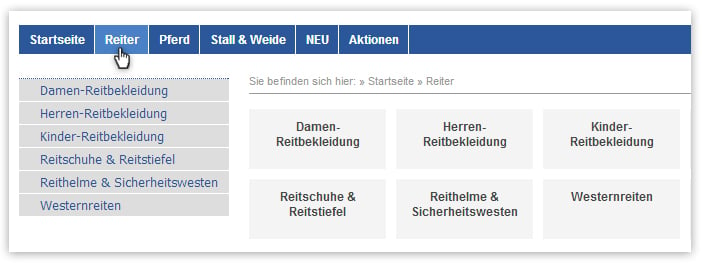
If your main menu is horizontal at the top of the page, you need a second, standalone menu for the subcategories. This is exactly whatWS-ProductMenuIndex() is for. This tag does not build a menu from the topmost level but from a category that you identify via its index value.
In the following example, a vertical submenu appears on the left as soon as the visitor selects a category in the horizontal main menu. The value $_current_$ as the first parameter ensures that exactly the direct subcategories of the most recently selected category are used.
Reference: WS-ProductMenuIndex()
Guide: Freely positioned product menu